
*Note: This page was translated by AI from the Japanese original. In case of any discrepancy, the Japanese version shall prevail.*
The Division of Analytical Electron Microscopy, IMR is trialing a new feature called "Equipment Screen Streaming," which lets you view the control PC screens of experimental equipment in real time through your web browser. Even when you are away from the equipment room, you can check the current status of an instrument.
This feature only lets you view the screens; it does not allow you to remotely operate the equipment. It is intended to support normal, on-site use of the equipment, not to replace it.
Useful in Situations Like These
- Check on a long measurement from off-site if you need to step away for a while
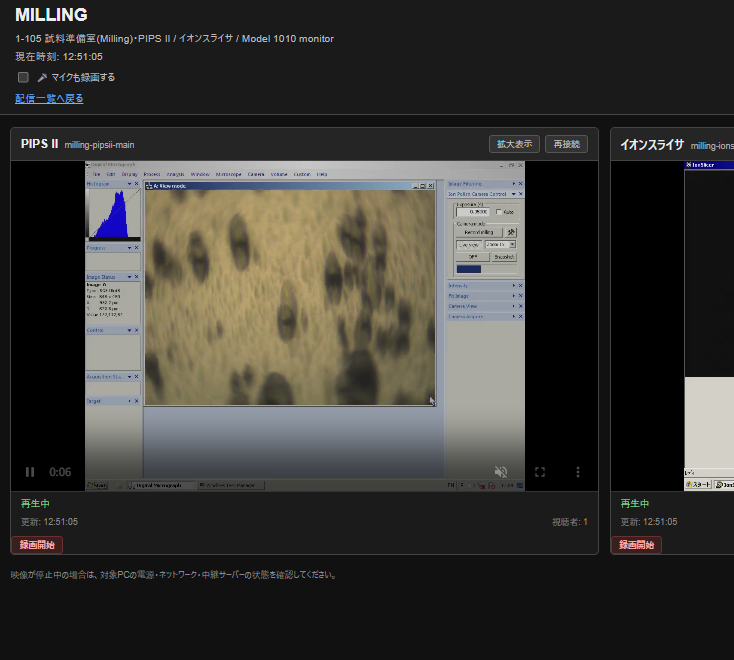
- Check whether ion milling has opened a hole, without walking over to the instrument
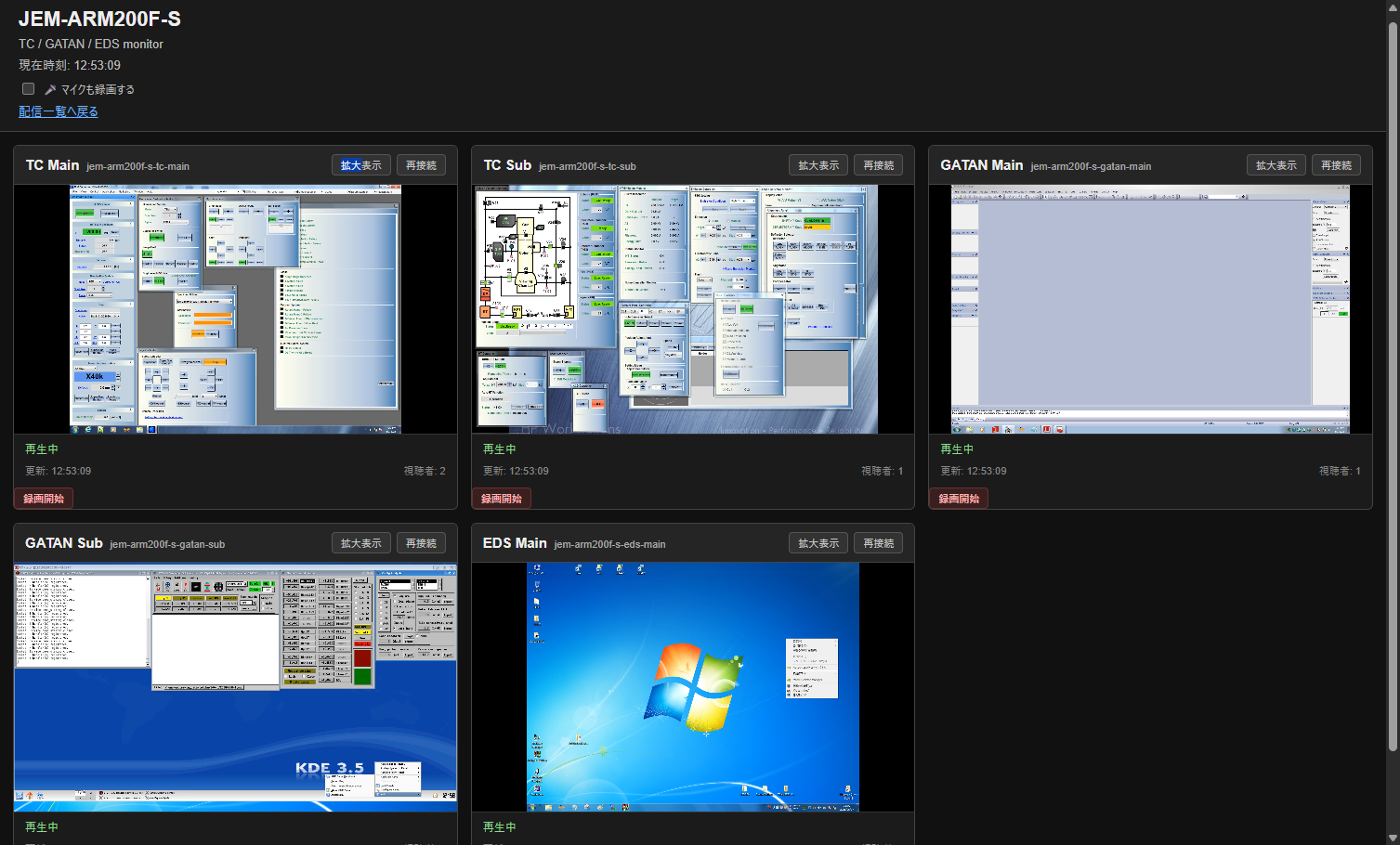
- Monitor the progress of time-consuming analyses such as EDS mapping
- Reduce the number of times you need to physically check on the equipment
- Administrators can also check equipment status remotely (e.g., while waiting for vacuum)
Example Screens
Here is what you actually see in your browser. The service can also be viewed from a smartphone.
Currently Supported Equipment
The following equipment is currently supported:
- TEM (Transmission Electron Microscope)
- FIB (Focused Ion Beam system)
- XRD (X-ray Diffractometer)
- PIPS II (ion milling)
- Ion slicer
The list of supported equipment may change in the future. Please contact the Division for details.
How to Access
Access the service at the URL below using your Division Shared Login account.
URL: https://aem-www.imr.tohoku.ac.jp/stream/
Viewing each instrument requires permission, which is set by that instrument’s administrator. If you would like to view an instrument’s screen, please contact that instrument’s administrator. Permission is normally granted for the dates of your reservation for that instrument. If you do not yet have a Shared Login account, please apply via the page below.
Shared Login for the Division of Analytical Electron Microscopy, IMR
Trial Operation: This feature is currently in trial operation. Its specifications may be changed, or the service temporarily suspended, without notice.